Editor score 4.2 / 5
Insight
A logistics page that shows no new records for a long time after international shipping does not necessarily mean the package is lost. A more prudent approach is to first confirm the current status, tracking number, and last scan, then determine whether it is a scan delay, a tracking number not yet active, a route change, or the need to seek help from a shopping agent or carrier. This article only discusses troubleshooting logistics tracking for Manchester City jersey packages and does not infer that the target site has already malfunctioned.

Save These Six Pieces of Information First
Before refreshing the page or contacting customer service, record the following information:
- Order number or package number
- Logistics tracking number, and the page where it is displayed
- Selected shipping route and destination country or region
- Whether the warehouse shows the package as shipped
- The exact current status text on the logistics page
- Date, time, and location of the most recent scan
Also save screenshots of the order details, package details, and carrier tracking page. The screenshots should include the full page title, tracking number, and time, to avoid capturing only one line of status that support staff cannot identify which package it belongs to.
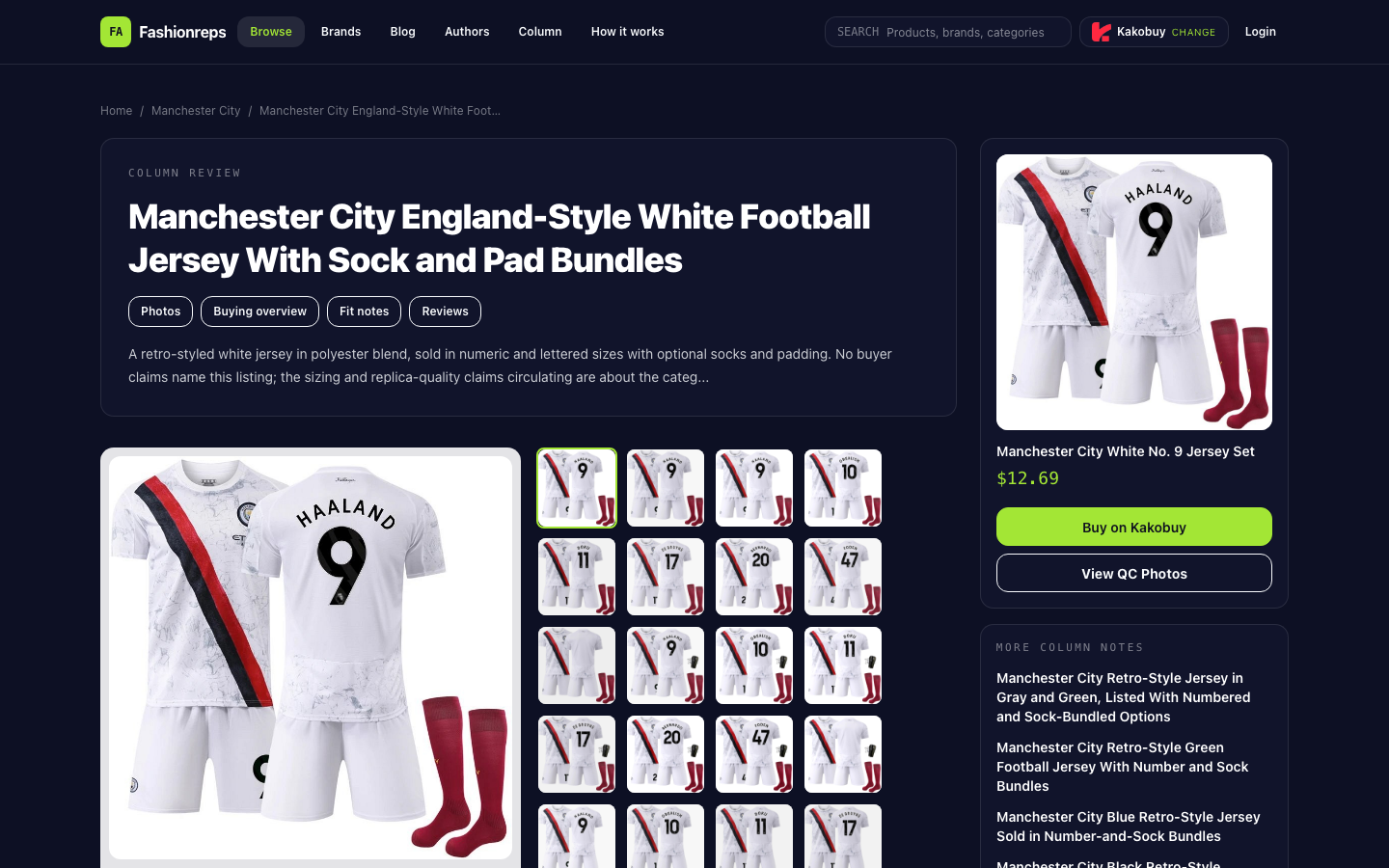
According to the product page information, this Manchester City white jersey comes in numeric and letter sizes, and some options include socks or protective gear. This information only helps confirm the item and order contents; it cannot prove that a specific package has been accepted by the carrier, nor can it replace logistics records.
Distinguish Problem Types by Status
| Page Symptom | More Reasonable Preliminary Judgment | Next Step |
|---|---|---|
| Warehouse shows shipped, but carrier page has no records | Tracking number may not be active yet, or first scan not completed | Verify the tracking number is complete, and confirm with the shopping agent whether it has been handed to the carrier |
| Pickup or departure record appeared, but no new scans for several days | Possibly in transit, batch handover, or scan delay | Compare last scan time and route milestones; do not repeatedly create the package |
| Status changed from one carrier page to another | Possible route change or final carrier takeover | Ask the agent for a new tracking portal or final tracking number |
| Customs, address, or recipient information anomaly shown | May require additional information or waiting for processing | First contact the agent to confirm who should submit information; do not modify multiple addresses yourself |
| Only order status, no shipment or carrier record | Cannot yet prove the package has been handed to carrier | Request the agent to confirm whether the package has been packed, weighed, and handed over |
These judgments are only troubleshooting paths, not confirmation of the actual package location. Only the order records from the carrier or shopping agent can confirm specific milestones.
Verification Steps
1. Check the Shopping Agent's Package Details First
Do not rely only on the brief status in the order list. Open the package details and check for shipment time, shipping route, package number, tracking number, and carrier name. If the page only shows "shipped" or similar summary text without a handover time, treat it as insufficient information.
2. Copy the Tracking Number and Remove Extra Characters
Manually verify the letters, numbers, hyphens, and capitalization in the tracking number. Do not confuse order number, package number, and logistics tracking number. If the agent page has a copy button, copy the original value first, then check it on the carrier tracking page they provide.
3. Compare the Last Scan Time
Focus on recording the last valid scan, not just the update time at the top of the page. If the last scan still shows the warehouse, distribution center, or origin, it means the page has at least generated a milestone; if no carrier scan has ever appeared, you cannot conclude that the package has entered the transport network based solely on "shipped."
4. Check for New Tracking Portals
International packages may be handled by different carriers at different stages. If the agent page shows a new tracking number, final carrier, or redirect link, save both the old and new tracking numbers and confirm whether they belong to the same package. Without agent confirmation, do not assume the two tracking numbers are already linked.
5. Check That Recipient Information Is Complete
Confirm that the recipient's name, street, city, postal code, country or region, and contact phone number match the submitted information. If the page indicates an incomplete address, undeliverable, or requires additional information, pause other actions, save the original message, and contact the agent to confirm how to proceed.
When to Contact the Shopping Agent
Submit a formal inquiry if any of the following occurs:
- The agent claims the package has shipped but does not provide handover time or carrier information
- The tracking number is not recognized on the carrier page for a long time
- The tracking number, destination, or status shown on the agent page and carrier page are inconsistent
- Status shows address anomaly, customs anomaly, or requires recipient action
- The page has not changed for a long time, and you cannot determine if it is just a route change
When submitting, attach the following materials at once: order number, package number, logistics tracking number, route, destination, last scan time, current status screenshot, and the specific questions you want the agent to confirm. You can directly ask them to confirm three things: whether the package has been handed to the carrier, whether the current tracking number is valid, and whether there is a new final tracking number.
Do not just send "logistics not updating." The more complete the information, the easier it is to avoid customer service repeatedly requesting the same materials.
When to Contact the Carrier
Only after you have confirmed the carrier name and a valid tracking portal is it appropriate to submit an inquiry to the carrier. The submission content should be consistent with the materials given to the agent, and note the time and location of the last valid scan. If the tracking number has never been recognized by the carrier system, usually you should first have the shopping agent confirm whether the handover is complete, rather than submitting information to multiple unknown channels simultaneously.
When the carrier page has no new scans, do not interpret a blank page directly as a lost package. There may be system entry delays, cross-border transit intervals, or tracking portal changes. The product source information provided in the article does not include carrier records for this specific package, so it cannot be used to determine its current location or estimated delivery time.
Stop Additional Actions in These Situations
Before the following information is confirmed, do not repeatedly pay new shipping fees, recreate the same package, or change the recipient address yourself:
- Not sure whether the original package has been handed to the carrier
- Not sure whether the new tracking number corresponds to the same package
- Not sure whether address modification will trigger a reshipment
- Not sure whether the page shows order status, package status, or carrier scan
- Have not saved the original status and last scan time
First preserve evidence, then have the agent confirm the next step in writing. This can reduce redundant actions and facilitate later verification of responsibility milestones.
A Practical Help Request Template
When contacting the shopping agent, you can follow this format:
"Order number: __; Package number: ; Logistics tracking number: ; Route: ; Destination: . Agent page shows: . Carrier page last scan time and location: __. Please confirm: 1) Whether the package has been handed to the carrier; 2) Whether the current tracking number is valid; 3) Whether there is a new final tracking number or tracking portal; 4) Whether I need to supplement address or other information."
If the other party cannot confirm the carrier, handover time, or tracking number correspondence, keep the current order and screenshots, and do not treat the price, size, or bundle information on the product page as logistics evidence. Currently verifiable data can only support product catalog information, not the real-time location, transit times, or anomaly conclusions for this package.