Editor score 4.2 / 5
Insight
When discovering Calvin Klein clothing on Fashionreps, if the product name, color, size, quantity, or amount is inconsistent across different pages before payment, do not submit payment immediately. First save the fields displayed on each page, then determine whether it is an unsynchronized product variant, a change in promotion conditions, a currency display difference, or an issue that needs confirmation from an external shopping agent. 💡
Fashionreps is primarily used for discovering products, viewing product information, and QC materials; purchase, payment, and subsequent logistics are usually handled by an external shopping agent selected by the user. Therefore, product information on Fashionreps pages cannot automatically replace the final summary in the agent's website shopping cart or payment page. This article addresses only one issue: how to complete a reviewable order check when Calvin Klein clothing information is inconsistent before payment.

Defining Information Inconsistency Issues for Calvin Klein Clothing Before Payment
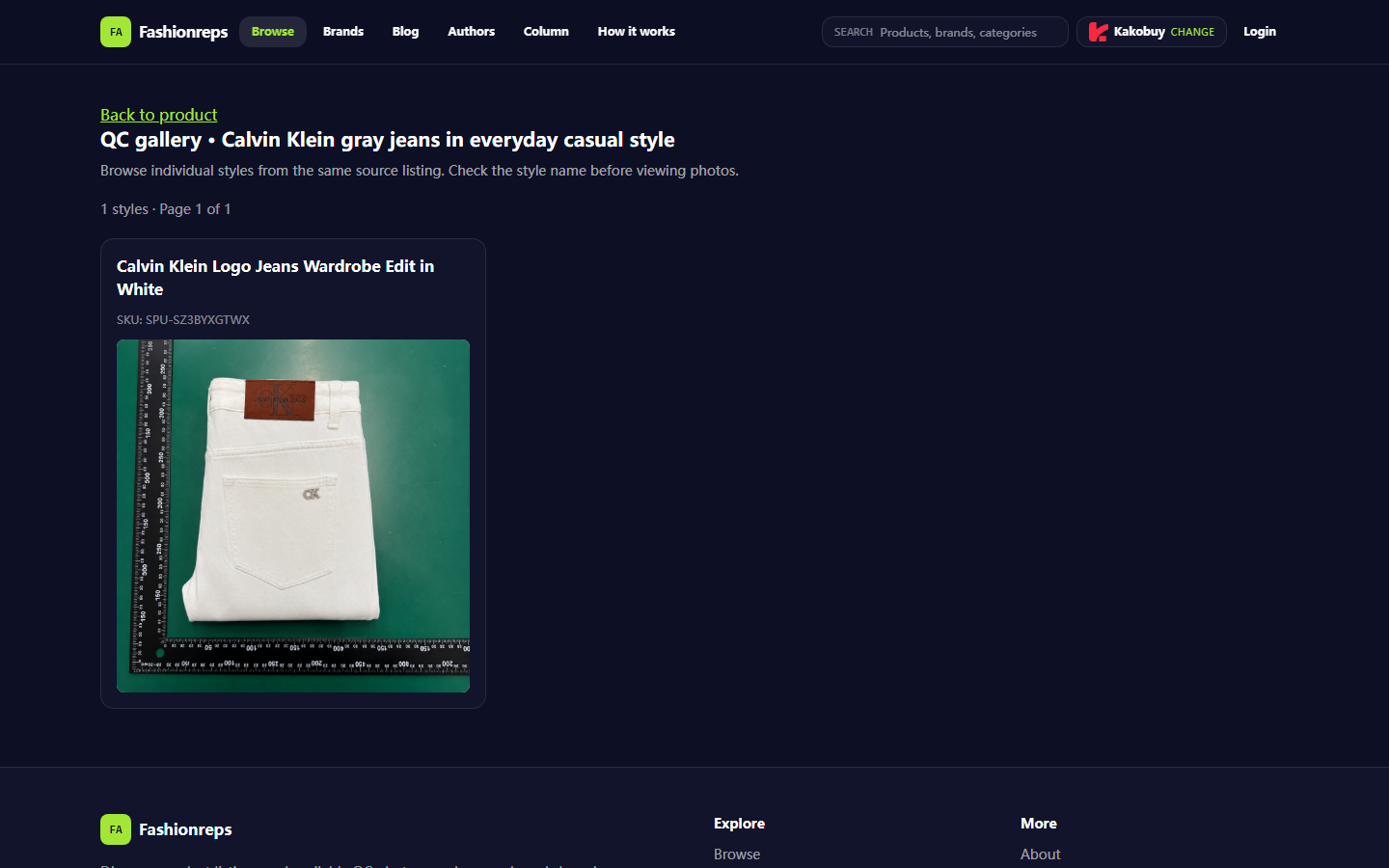
First, write down the specific differences; do not just record "pages are different." For example, the product page shows gray jeans, but the cart shows white; the product page shows a certain size, but the order summary has no size; the quantity changes from one to two; the product price differs from the payment page amount; or the product page uses one currency while the payment page uses another.
Also record which two pages the difference appears on, and whether each page can be reopened. If it is only a difference in page layout, abbreviations, or language, it may not mean the order content has changed; if the product name, variant, quantity, or amount due changes, it should be considered an item to be checked before payment. ⚠️
This article does not apply to refund disputes after payment has been completed, QC judgment after the warehouse receives the goods, or customs clearance, taxes, and final shipping costs. These situations require separate checking of agent orders, warehouse records, and logistics rules.
Save Product Page Title, Color, Size, Quantity, and Visible Amount
After reopening the product page, record the following information in the same order:
- The complete product name or style name displayed on the page
- Color name and color options on the page
- Size and size unit, and if necessary, data from the size chart
- Purchase quantity
- Product unit price, discounted price, or promotional notice
- Currency displayed on the page
- Product link or identifiable page name
- Recording time and page screenshot
Do not save only the product image. Images may correspond to multiple colors, sizes, or styles and cannot alone prove the currently selected variant. If the page has an SKU, item number, or variant number, save it as well, but do not treat unexplained numbers as a basis for style confirmation.
You can use the following recording format:
| Field | Product Page Record | What to Check |
|---|---|---|
| Product Name | Full title on page | Whether it matches cart and order summary |
| Color and Size | Current selection and unit | Whether it is reset, truncated, or replaced |
| Quantity | Current purchase quantity | Whether it matches cart quantity |
| Amount and Currency | Visible product amount on page | Whether discount included, whether currency converted |
| Time | Screenshot or recording time | Whether subsequent pages can reproduce |
If the product page cannot be reopened, shows blank, or only shows a tag list, do not use search result summaries as evidence of the product page. At this point, you can only record "product page temporarily cannot be reviewed" and cannot confirm order fields.
Compare Product Fields in Shopping Cart and Order Summary
Compare the product page information with the cart item by item, then go to the order summary to view the final fields before payment. It is recommended to check off each item rather than judging by overall impression:
- Does the product name refer to the same style
- Is the color completely consistent, especially noting similar color names
- Is the size consistent, and is there a default size or blank
- Is the quantity consistent
- Is there a reasonable explanation for product unit price, subtotal, and discount
- Are there any additional service fees, handling fees, or other order items
- Are the currency symbol and amount unit consistent
If the product name is shortened, do not immediately judge it as an error. Priority should be given to comparing color, size, quantity, SKU, and subtotal. If the order summary lacks key variant information and you cannot confirm the actual color or size purchased, you should pause payment and ask the shopping agent responsible for collection and fulfillment. 🧾
The total amount displayed on the payment page cannot simply be regarded as the product price. It may include agent service fees, payment fees, shipping, taxes, or other items. Only items explicitly listed on the page can be written into the check record; do not guess fee names based on amount differences.
Check Consistency of Variants, Promotional Notices, Currency, and Payment Methods
Information inconsistency often arises from variant switching or page state changes. After reselecting color and size, observe whether the product name, price, and stock notice update synchronously. Do not just check whether the button is still clickable, because clickable does not mean the current variant has been correctly saved.
Promotional notices should also be recorded separately with applicable conditions. For example, a discount may only apply to specific colors, quantities, times, regions, payment methods, or agent channels. The appearance of promotional text on the page does not mean the order summary will automatically apply the discount; final determination should be based on the discount clearly listed in the order summary.
Regarding currency, first confirm the symbol and page settings, then confirm whether the amount belongs to the product price. There may be conversion, rounding, or display precision differences between pages. If the payment page does not explain the conversion basis, or the amount change cannot be explained by listed fees, you should postpone payment. 💳
Payment methods should also be checked. Do not infer that a payment method is necessarily available, has the same fees, or can be reversed through another channel just because a payment icon appears on the page. Payment availability, fees, refund paths, and identity verification requirements should be confirmed by the actual payment platform or shopping agent.
Re-enter the Product Page and Record Reproducible Page States
After completing the first comparison, close the product page and cart, then reopen them and repeat selecting the same color, size, and quantity. Record whether the differences appear again:
- First save the current product page screenshot.
- Exit or return to the product page and reselect variants.
- Re-add to cart and confirm quantity and fields.
- Enter the order summary, but stop before payment.
- Compare item by item with the first record.
If the second result differs from the first, record the specific reproduction conditions, such as whether language, currency, login status, browser window, or shopping agent was changed. Do not repeatedly submit orders, cause duplicate charges, or continuously click payment buttons just to "test the result."
If a difference appears only once, you still cannot directly classify it as a system fault. You can describe it as "observed once that page fields were inconsistent and cause not yet confirmed." If it appears stably under the same conditions, the evidence is more suitable for submission to official support channels.
Distinguish Between Page Differences, Items to Confirm, and Fault Guesses
Dividing records into three categories helps avoid writing speculation as facts:
- Observed: For example, product page shows black, order summary shows white; this is directly provable by screenshots.
- To be confirmed by customer service: For example, order summary lacks size, or discount has no stated conditions; needs explanation from the official channel responsible for the order.
- Fault guess: For example, thinking page cache error, inventory interface anomaly, or price synchronization failure; should not be a conclusion without technical evidence.
Fashionreps pages provide product discovery and related resource entry points; external shopping agents handle actual orders, payment, and shipping processes. If differences appear only in the agent's cart or payment page, priority should be given to contacting that agent, rather than assuming Fashionreps has produced an order error.
Submit Links, Screenshots, and Order Information Through Official Channels of the Target Site
When seeking help, submit only the information needed to solve the problem: product page, cart or order summary screenshots, color, size, quantity, displayed amount, currency, time of occurrence, and the status that payment has not been made. Screenshots should cover name, address, phone, payment card number, verification code, full order number, and other unnecessary personal information. 🔒
When explaining the problem, use verifiable sentences, for example: "Product page recorded a certain color and size, after re-adding to cart the order summary showed another color; the difference reappeared under the same steps." Do not just write "price is wrong" or "system problem."
Contact should be determined by the party responsible for the page: for issues with product discovery pages, contact Fashionreps official support channels; for issues with cart, payment, fees, orders, and refunds, contact the actual shopping agent's official support channels. Do not send payment credentials, passwords, or complete payment information to unofficial accounts, and do not make payments based on third-party contact information found in search results.
Set Conditions for Pausing Payment, Waiting for Confirmation, or Continuing
The premise for continuing is: the product name or identifiable style is consistent, color, size, and quantity are consistent, amount changes can be explained by discounts or fees clearly listed on the page, currency is confirmed, and the actual payee's order summary clearly shows what will be purchased.
Situations requiring official confirmation include:
- Inconsistency in color, size, quantity, or SKU
- Order summary lacks key fields determining product variant
- Discount or additional fees without applicable explanation
- Currency cannot be confirmed, or amount difference cannot be explained
- Page repeatedly shows different results under the same conditions
- Payment method, refund path, or payee entity unclear
Situations requiring stopping payment include: page requires transfer through unofficial channels, requires complete payment credentials or sensitive identity information, order summary clearly does not match actual selection, or payee cannot be confirmed. Do not split orders, place duplicate orders, or repeatedly click payment to "test" the system, as this may increase the risk of duplicate charges and subsequent refund verification.
After the check is completed, keep time records of the product page, cart, order summary, and customer service replies. This way, even if you later need to handle refunds, variant disputes, or order tracking, you can clearly distinguish the page facts seen at the time from changes that occurred later.
Article Image